How to Write an llms.txt File: Template and 4 Copy-Ready Examples
Short answer: Start with an H1 line naming your business, then a one or two sentence summary in a blockquote (lines starting with >), a short paragraph of key facts, and H2 sections that list your main pages as Markdown links, each with one honest line. Save it as plain text at yoursite.com/llms.txt. Copy one of the four templates below, swap in your own pages, and check it against the 7-point list before you upload.
Our guide What is llms.txt? explains the idea and whether it is worth it. This post is the practical follow-up: a template you can fill in, four complete examples for common kinds of site, and the checks we run on our own llms.txt before every update.
Read this first: what can llms.txt do?
llms.txt is a proposed format, published by Jeremy Howard of Answer.AI in September 2024, for giving AI tools a short Markdown summary of a site. Be realistic about it:
- Google's guide to its generative AI features says you don't need AI text files such as llms.txt, and that they don't help or hurt visibility in Google Search.
- An Ahrefs study of 137,210 domains found that 97% of valid llms.txt files got no requests at all in May 2026.
- We haven't seen OpenAI, Anthropic or Perplexity confirm that the file affects which pages they cite.
So why write one? It takes about 20 minutes, some AI coding and research tools look for it, people paste it into chatbots to get an accurate summary of a product, and writing it forces you to say plainly what each page is for. Treat it as cheap insurance, not a ranking trick. If you only have time for one thing, check that AI search crawlers can reach your site first: see how to check if ChatGPT, Perplexity and Google AI can see your site.
What are the parts of an llms.txt file?
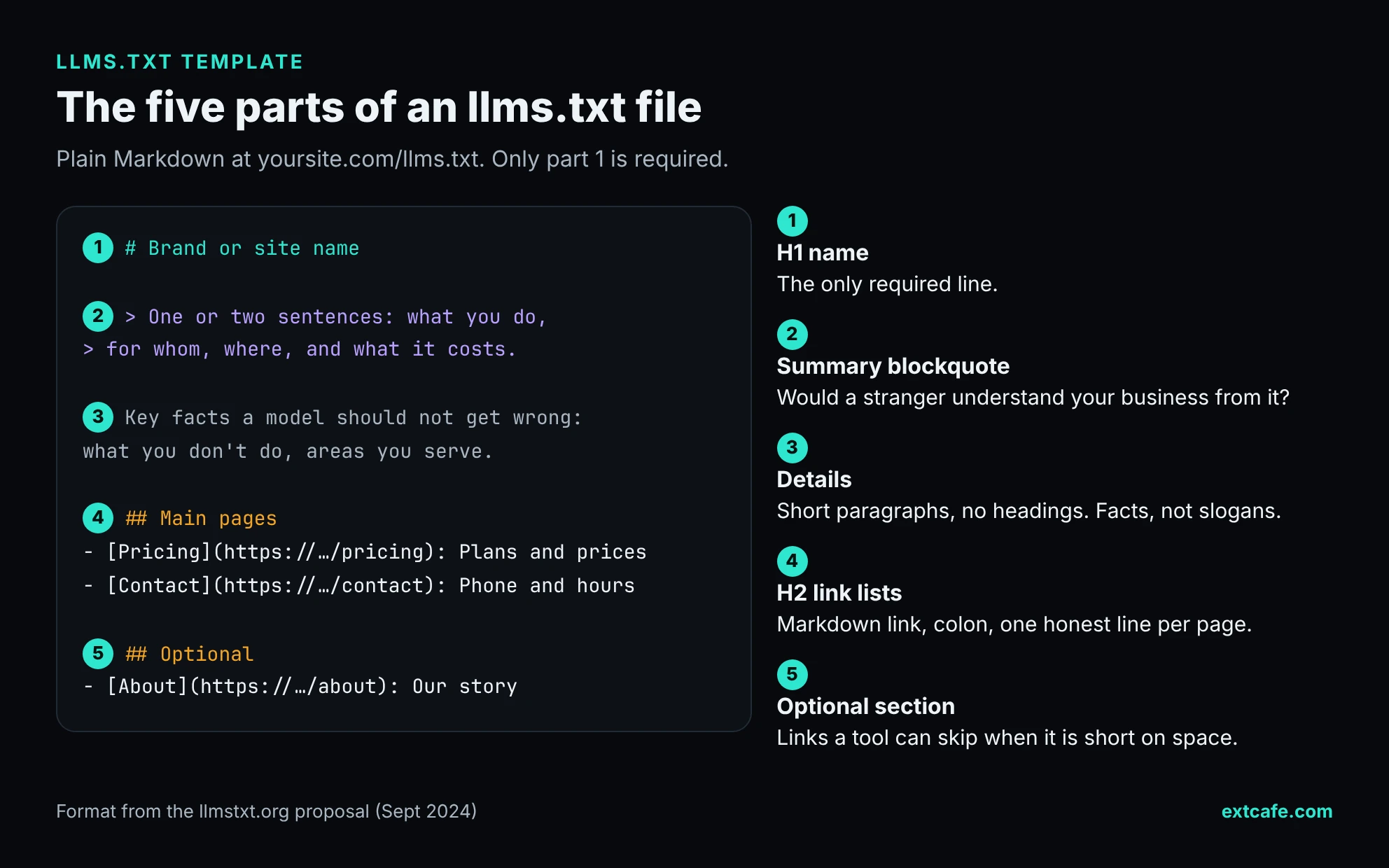
- An H1 with your site or business name. The only required line.
- A blockquote summary. One or two sentences: what you do, for whom, where, and what it costs if that matters.
- Key facts. Short paragraphs, with no headings, about what a model should not get wrong, such as what you don't offer.
- H2 sections with link lists. Each item is
- [Name](URL): note. - An "Optional" section. Links a tool can skip when it is short on space.
A fill-in llms.txt template
Copy this, replace everything in square brackets, and delete any section you don't need.
# [Business or site name]

> [Business name] is a [what you are] for [who it is for] in [where].
> [One line on price, hours or how to buy, if that matters.]

[One or two short paragraphs of facts a model should not get wrong:
what you do not offer, areas you serve, languages, when prices were checked.]

## [Main pages, Services, Product or Shop]
- [[Page name]]([full URL]): [What the reader gets on this page]
- [[Page name]]([full URL]): [What the reader gets on this page]
- [[Pricing]]([full URL]): [Plans or prices, and the currency]

## [Help, Contact or Orders]
- [[FAQ]]([full URL]): [Main topics it answers]
- [[Contact]]([full URL]): [Phone, email, hours]

## Optional
- [[About]]([full URL]): [Who runs the business]
4 copy-ready llms.txt examples
All four use made-up businesses and .example addresses. Pick the one closest to your site.
1. Software or SaaS product
# Acme Invoices

> Acme Invoices is online invoicing software for freelancers and small
> agencies. Plans start at $9 a month, with a free plan for 3 clients.

Acme works in any browser. It does not offer payroll or tax filing.
Prices on this page are in US dollars and were last checked in November 2026.

## Product
- [Features](https://acme.example/features): Invoices, reminders, recurring billing
- [Pricing](https://acme.example/pricing): Free, Pro and Team plans compared
- [Integrations](https://acme.example/integrations): Payment and accounting apps it connects to

## Help
- [Getting started](https://acme.example/docs/start): Send your first invoice in 5 minutes
- [FAQ](https://acme.example/faq): Billing, refunds, data export
- [Contact](https://acme.example/contact): Support email and response times

## Optional
- [Changelog](https://acme.example/changelog): What changed in each release
- [About](https://acme.example/about): Team and company details
2. Local service business
# Shree Plumbing Services

> Shree Plumbing is a licensed plumbing service in Ahmedabad, open
> 8 am to 8 pm, Monday to Saturday, with emergency call-outs on Sundays.

We cover Navrangpura, Satellite, Bopal and Prahlad Nagar. We do not
install solar water heaters. Call-out charge and rates are on the pricing page.

## Services
- [Leak repair](https://shree.example/leaks): Pipes, taps and hidden leaks
- [Bathroom fitting](https://shree.example/bathrooms): New fittings and replacements
- [Pricing](https://shree.example/pricing): Call-out charge and common job prices

## Contact
- [Book a visit](https://shree.example/book): Online booking and WhatsApp number
- [Service area](https://shree.example/area): Areas we cover, with a map
- [Reviews](https://shree.example/reviews): What customers say

## Optional
- [About](https://shree.example/about): Our team and licences
Local businesses: also keep your Google Business Profile complete, since that is what Google Maps and many AI answers about local services draw on. Our Google Business Profile checklist covers it.
3. Online store
# Indigo Tea Co.

> Indigo Tea Co. sells loose-leaf Assam and Darjeeling tea online,
> shipping across India in 3 to 5 days. Free shipping over ₹999.

All teas are packed within 30 days of purchase from the estate.
We do not sell tea bags or ship outside India.

## Shop
- [All teas](https://indigo.example/teas): Every tea with price, origin and tasting notes
- [Gift boxes](https://indigo.example/gifts): Sampler and festival boxes

## Orders
- [Shipping](https://indigo.example/shipping): Delivery times and charges
- [Returns](https://indigo.example/returns): 7-day return policy for unopened packs
- [Contact](https://indigo.example/contact): Email and order help

## Optional
- [Brewing guide](https://indigo.example/brew): Water temperature and steeping times
4. Blog or publisher
# The Daily Garden

> The Daily Garden publishes tested guides on growing vegetables on
> balconies and terraces in hot climates. Written by Meera Shah.

Every guide is based on plants we grew ourselves. Guides are dated and
updated each season.

## Start here
- [Beginner's guide](https://garden.example/start): Pots, soil and the first 5 plants to grow
- [Planting calendar](https://garden.example/calendar): What to sow each month

## Popular guides
- [Tomatoes in pots](https://garden.example/tomatoes): Varieties, watering and pests
- [Composting at home](https://garden.example/compost): A 30-day method for flats

## About
- [About Meera](https://garden.example/about): Who writes the guides and how
- [Contact](https://garden.example/contact): Questions and corrections
How do I write each line?
- Summary: read it out loud. If a stranger couldn't explain your business after hearing it, rewrite it. Avoid slogans such as "the best" or "world-class".
- Key facts: include the things chatbots get wrong about you. If people often ask whether you ship abroad or work on Sundays, say so.
- Link notes: describe what the reader gets, in under 12 words. "Plans and prices in INR" beats "Affordable pricing for everyone".
- How many links: 5 to 20 of your most useful pages. Skip login pages, tag archives, cart pages and anything blocked in robots.txt.
- Full URLs: use complete addresses starting with
https://, so a tool can follow them from anywhere.
7 checks before you upload llms.txt
- The first line is a single
#heading with your name. - The summary lines start with
>and are true today. - Every link opens a live page (no 404s or redirects to the homepage).
- No listed page is blocked by robots.txt or marked
noindex. - Prices, plans and hours match your website exactly.
- There are no keyword lists. A block of comma-separated search phrases is spam to a reader and adds nothing for a model.
- After upload,
yoursite.com/llms.txtshows plain text in the browser, not your site's HTML page or a 404.
Where do I upload llms.txt?
- Own hosting (cPanel, hPanel, FTP): upload it to the same folder as your homepage file, usually
public_html. - WordPress: upload it to the folder that holds
wp-config.php, or use a plugin that serves it. - Hosted builders: some don't let you add files at the root. Check your builder's help pages or app store for an llms.txt option.
Optionally, point to it from your pages' <head>:
<link rel="alternate" type="text/plain" href="/llms.txt">Some sites also publish an llms-full.txt with the full text of their key pages. It is part of the same informal convention and is optional.
How do I keep llms.txt up to date?
A stale llms.txt is worse than none, because a chatbot may repeat an old price. Update it in the same change whenever your prices, plans, services, hours or main pages change, and put a reminder in your calendar to re-read it every three months. We update ours with every product release.
Check or generate your llms.txt
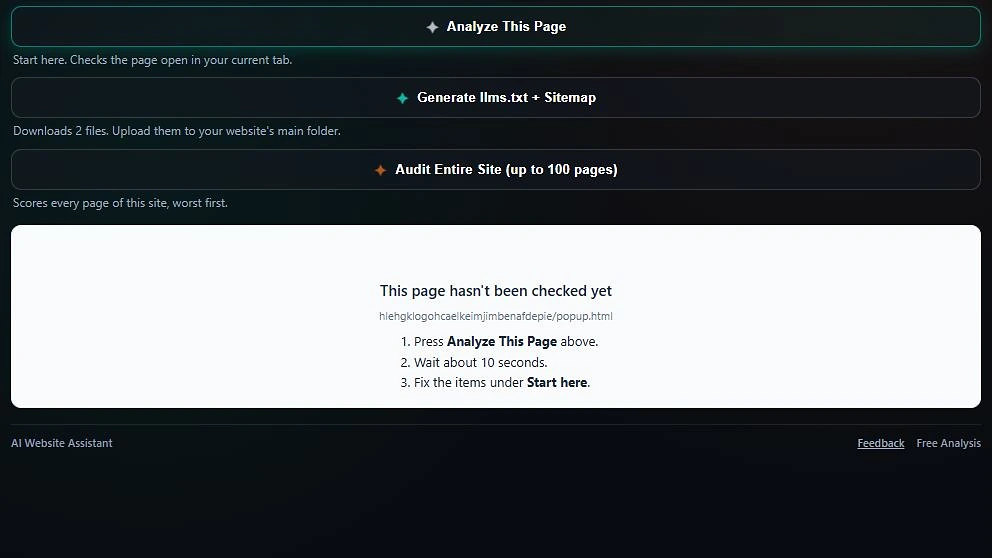
SEO AI Assistant is a free Chrome extension that checks whether your site serves a valid llms.txt, along with 38 other SEO, AEO and GEO checks. Pro ($7/month, with a 7-day trial and no card) can build llms.txt, llms-full.txt and sitemap.xml from your own pages, which you review and upload yourself.
llms.txt template questions
What is the format of an llms.txt file?
Plain Markdown: an H1 with the site name, a blockquote summary, optional paragraphs of details, H2 sections with lists of Markdown links and short notes, and an optional section called Optional. Only the H1 is required.
Where do I put llms.txt?
At the root of your website, so it opens at yoursite.com/llms.txt, in the same folder as your homepage file and robots.txt.
How long should llms.txt be?
Short. Most small sites need 5 to 20 links and a few lines of summary. The point is a quick, accurate overview, not a copy of your whole site.
Does llms.txt improve Google rankings?
No. Google says AI text files such as llms.txt don't help or hurt visibility in Google Search, and it doesn't use them for AI Overviews or AI Mode.
What is llms-full.txt?
An optional companion file with the full text of a site's key pages in Markdown, so a tool can read the content without crawling each page. It is a convention, not a requirement.
Should I list every page in llms.txt?
No. List the pages that best explain what you do: product or services, pricing, help, contact and about. Leave out login, cart, tag and archive pages.
Can I generate llms.txt automatically?
Yes, several tools can draft one from your pages, including SEO AI Assistant Pro. Always read the draft and fix the summary and notes by hand before you upload it.
How often should I update llms.txt?
Whenever your prices, services, hours or main pages change, and at least every three months. Outdated facts can be repeated by chatbots.