Listing score
One number out of 100 with a grade, split into core info, reviews, and hours and photos.
LocalBoost audits the Google Maps business listing you have open. It scores the listing out of 100, shows what is missing with a fix for each issue, and checks where the business really ranks on Maps against the top 3.
Free, with no account. Everything stays on your computer. Works on google.com/maps in English.
Version 1.0.1. Last updated . See the changelog.
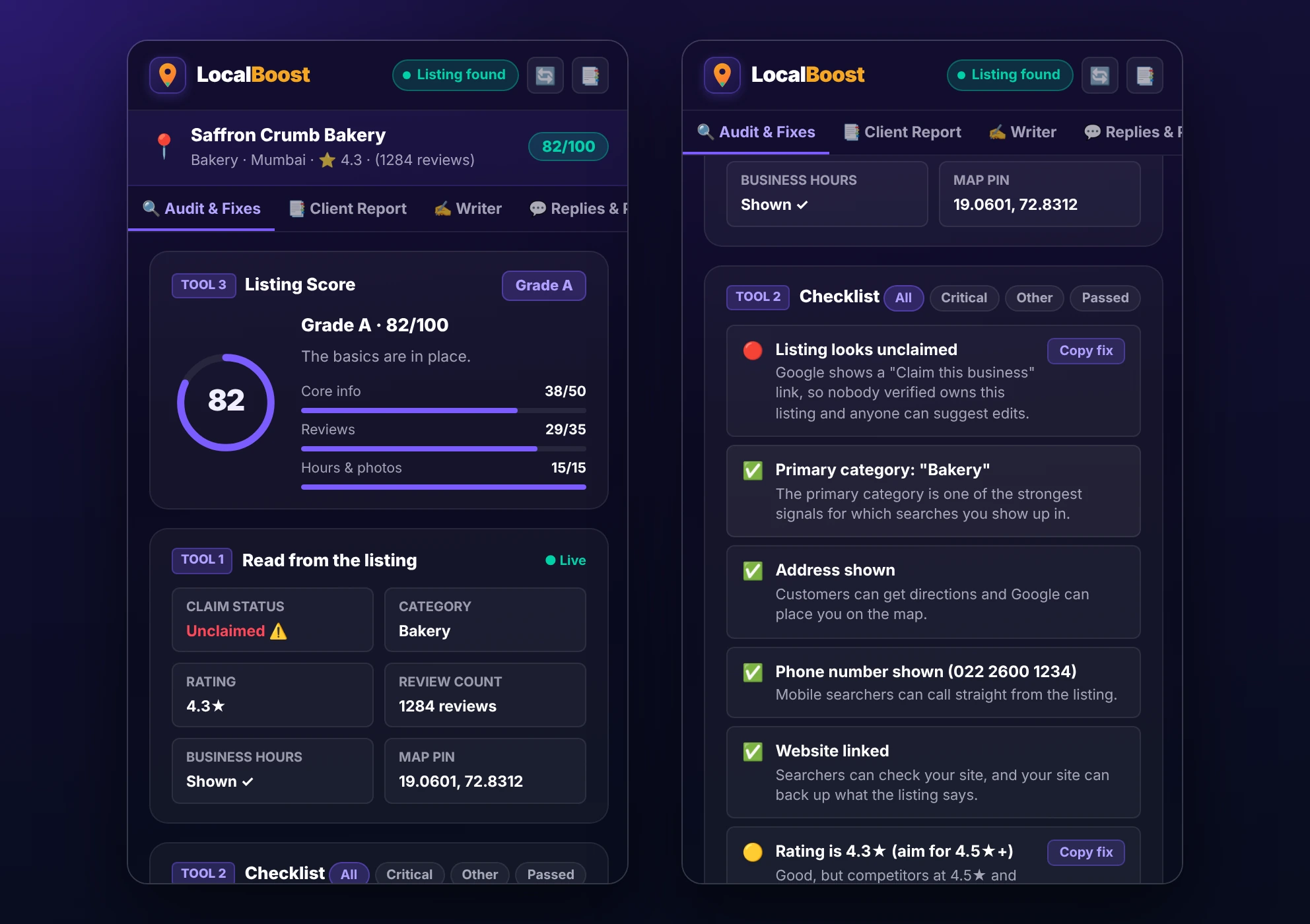
LocalBoost is a free Chrome extension by ExtCafe for local SEO. Open any business on Google Maps and its side panel reads the public listing, scores it, and stays open while you browse. It is built for local business owners who manage their own listing, and for agencies and freelancers who audit listings for clients.
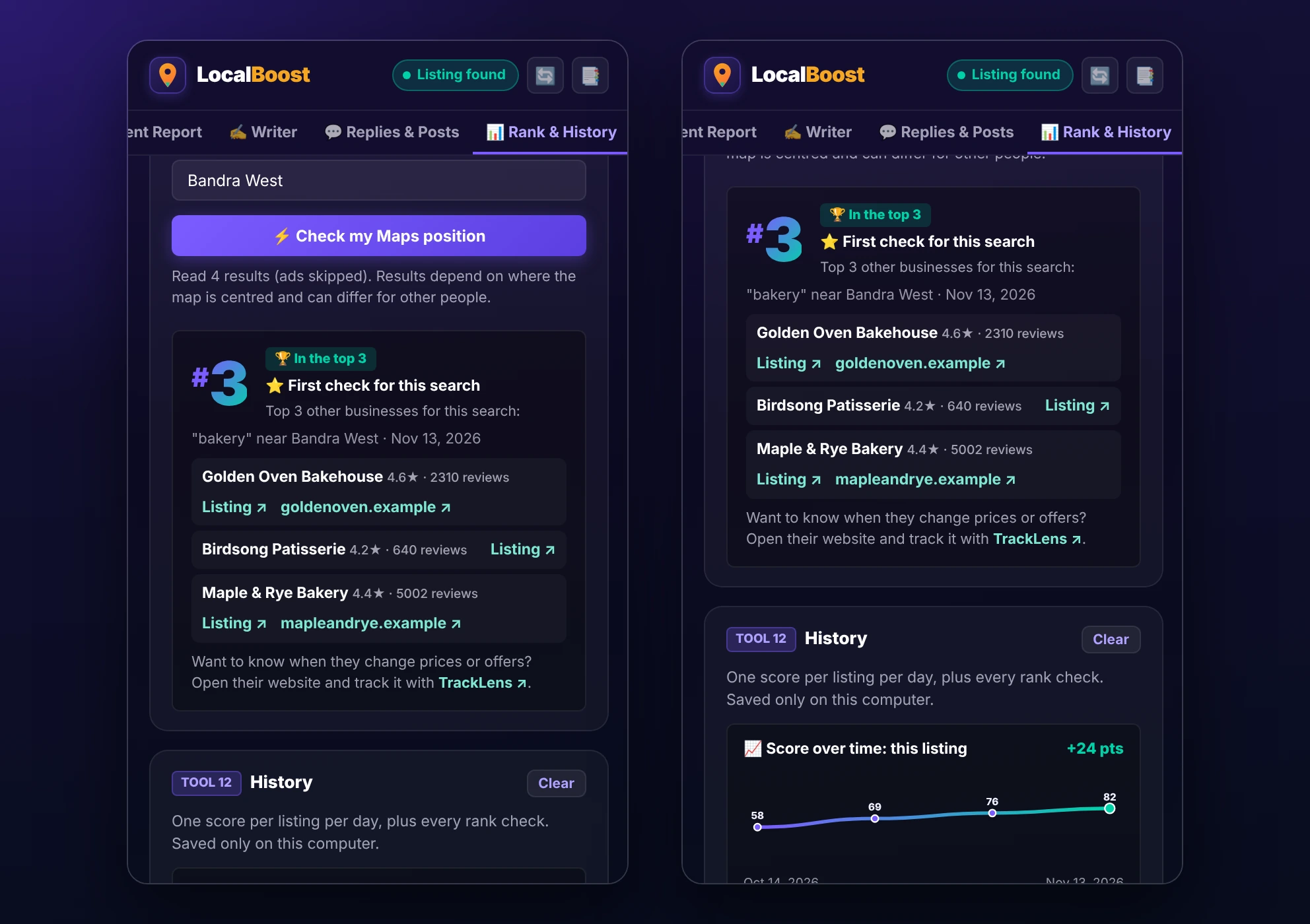
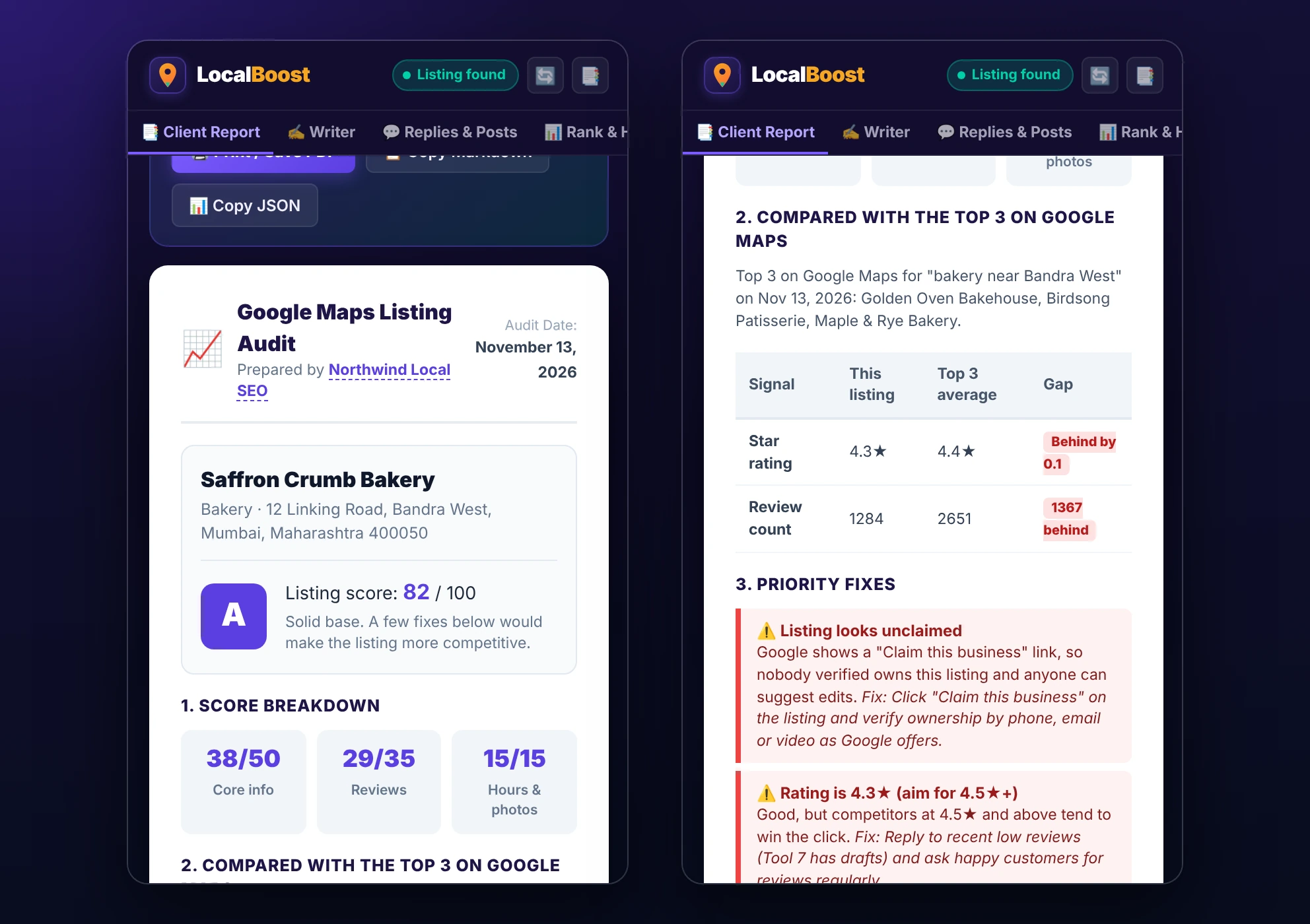
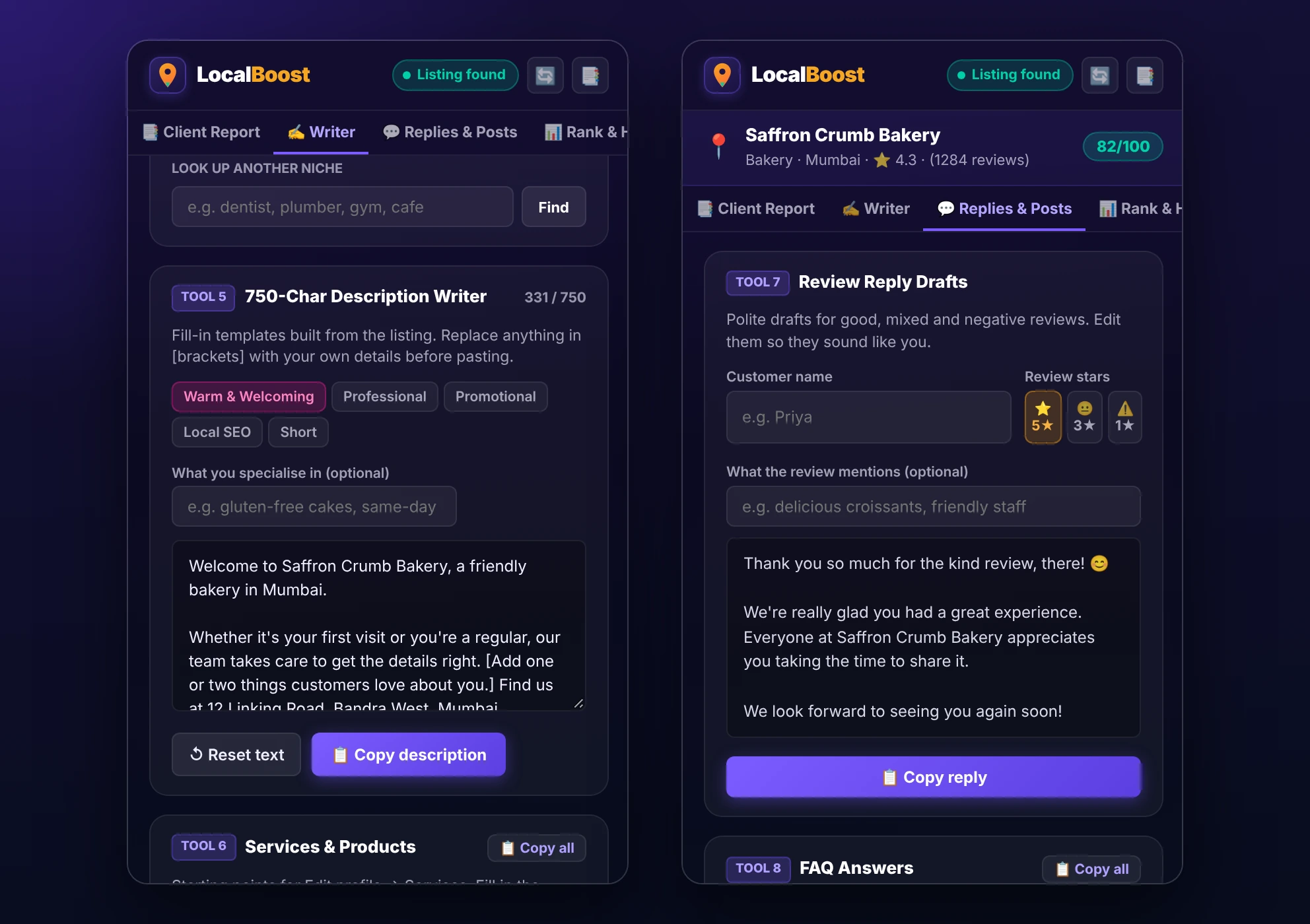
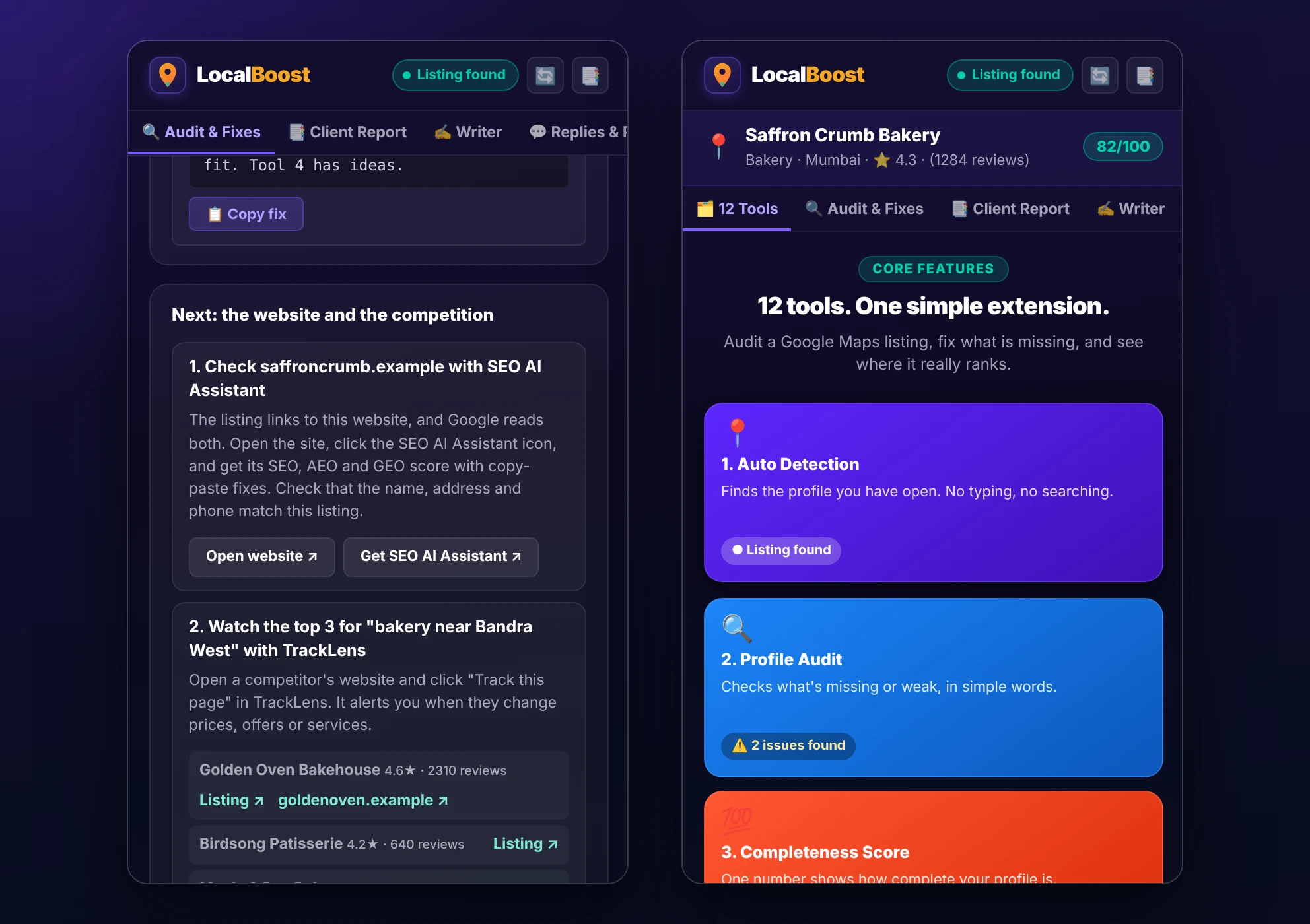
These are real screens from LocalBoost, auditing a made-up bakery and made-up competitors.
Enter a search term and an area. LocalBoost runs the search on Google Maps in your open tab and reads the result list in the order Google shows it. Every number comes from the page, with no estimates.
The report puts the score, the comparison with the top 3, the priority fixes and a 30-day plan on one page. Add your name or agency before you send it.
LocalBoost fills templates with details from the listing. Add your own facts where it shows [brackets], then paste the text into your Business Profile. These are templates, not AI writing.
A listing gets you found on Maps, and the website has to win the click. After the audit, LocalBoost links to the business's website so you can check it with SEO AI Assistant, and lists the top 3 competitors so you can watch their websites with TrackLens.
LocalBoost scores nine things it can read from the public listing. Things Google does not show publicly, such as secondary categories, are listed as items to check yourself and are left out of the score.
| Check | Group | Points |
|---|---|---|
| Listing is claimed | Core info | 12 |
| Primary category | Core info | 14 |
| Address | Core info | 8 |
| Phone number | Core info | 7 |
| Website | Core info | 9 |
| Star rating (4.5 or more for full points) | Reviews | 18 |
| Review count (100 or more for full points) | Reviews | 17 |
| Opening hours | Hours and photos | 8 |
| Photos | Hours and photos | 7 |
The score shows how complete a listing looks. It is a checklist, and it does not predict or guarantee rankings.
One number out of 100 with a grade, split into core info, reviews, and hours and photos.
Every issue comes with the place to fix it in your Business Profile.
Your position in the Google Maps result list for a search, with ads skipped.
Your rating and review count against the three businesses ranking for that search.
Print, save as a PDF, or copy as Markdown or JSON, with your name or agency on it.
Each listing's score over time, and every rank check, saved on your computer.
Open the business on Google Maps and click the LocalBoost icon. The audit appears in the side panel in a few seconds.
Go to google.com/maps and open any business listing, yours or a client's.
The side panel reads the listing and shows the score, the checklist and a fix for each issue.
In the Rank tab, enter a search term and an area to see your real position and the top 3 other businesses.
Open the Client Report tab, add your name, and print it or save it as a PDF.
LocalBoost is free. Every feature in version 1.0.1 is included, with no account, no trial and no card.
Nothing leaves your computer. LocalBoost has no server, no account and no analytics, and it makes no network requests of its own. Read the full privacy policy.
LocalBoost can read pages on google.com/maps and nothing else. It reads the public listing and the result list you open there.
Score history, rank checks and competitor lists are saved in your browser. Clear them in one click, and uninstalling removes everything.
This log lists each LocalBoost version and what changed. Last updated .
. A partner offer.
. The first release, available on the Chrome Web Store.
LocalBoost is a free Chrome extension by ExtCafe that audits the Google Maps business listing you have open. It scores the listing out of 100, lists what is missing with a fix for each issue, checks where the business really appears in Google Maps results for a search, and builds a client-ready report.
Yes. Every feature in LocalBoost 1.0.1 is free, with no account and no trial.
You enter the business name, a search term and an optional area. LocalBoost runs that search on Google Maps in your open tab and reads the result list in the order Google shows it, skipping ads. It reports the business's position and the top 3 other businesses. Like any Maps search, the results depend on the map area and can differ for other people.
Nine things LocalBoost can read from the public listing: claim status, primary category, address, phone, website, star rating, review count, opening hours and photos. Core info is worth 50 points, reviews 35, and hours and photos 15. The score measures how complete the listing looks. It does not predict or guarantee rankings.
No. LocalBoost only reads the public listing. It tells you where to make each change in your Business Profile, and you make the change yourself.
On your computer only, in Chrome's local extension storage. LocalBoost has no server, no account and no analytics, and it makes no network requests of its own. You can delete the saved history in one click.
Yes. Open any business on Google Maps, add your name or agency to the report, then print it, save it as a PDF, or copy it as Markdown or JSON.
After the audit, LocalBoost links to the business's website so you can check it with SEO AI Assistant, and lists the top 3 competitors with their websites so you can watch them for changes with TrackLens. These are plain links. The extensions do not share any data, and both are optional.
Desktop Chrome 116 or later and Chromium-based browsers such as Edge and Brave, on google.com/maps in English. It does not run on mobile browsers.
No. LocalBoost is an independent extension by ExtCafe and is not affiliated with or endorsed by Google. Google Maps and Google Business Profile are trademarks of Google LLC.
Plain-English guides on getting a business listing found and trusted on Google Maps.
The nine checks, how the 100-point score works and what an audit cannot see.
Claim it, choose the right category, fill every field and keep it current.
What Google says decides local ranking, and how to check your real position.
Ask within Google's rules, and copy-ready reply templates.
Score the business website for SEO, AEO and GEO with our free SEO audit Chrome extension.
Explore SEO AI AssistantWatch competitor websites and get an alert when a price, offer or service changes.
Explore TrackLensCompare Amazon.in and Flipkart prices side by side in one click.
Explore DealFinderInstall LocalBoost free from the Chrome Web Store, then open any business on Google Maps.
LocalBoost is not affiliated with or endorsed by Google. Google Maps and Google Business Profile are trademarks of Google LLC.